10 Time-Wasting File Tasks Python Can Handle Better Than You
If your idea of file task automation is still dragging files from Downloads into vaguely named folders, Python can do that part better, faster, and with zero boredom. One script can scan a folder, detect file types, rename files using a consistent pattern, create subfolders by month or project, and move everything where it belongs. PDFs to one place. Images to another. Contracts named by date. Meeting notes grouped by client. The kind of repetitive admin work that feels small until it quietly eats forty minutes a day is exactly where Python productivity starts to pay off.
This is especially useful when people dump files into shared folders with names like final.pdf, final-final.pdf, and actually-final-2.pdf. Python can clean that up by reading creation dates, pulling metadata, or applying naming rules you define once and never think about again. For office teams trying to automate office files, this is the low-hanging fruit. You stop being the human sorting algorithm and let the script handle the dull, error-prone part.
Batch-convert office files instead of opening the same document 50 times
A lot of file work is just format babysitting. Save this spreadsheet as CSV. Export these Word docs as PDFs. Turn image-based reports into compressed files small enough to email. Merge text data from one format into another because one department insists on XLSX and another only wants CSV. Python handles all of that in batches, which means you stop opening files one by one like it’s still 2009.
Libraries such as pandas, openpyxl, python-docx, and PyPDF2 make this practical, not theoretical. You can convert hundreds of files in a loop, apply the same formatting rules every time, and even skip broken files while logging the problem for later. That matters because manual conversion is where stupid mistakes creep in: the wrong version gets exported, a tab gets missed, a filename changes, somebody sends the draft instead of the final. A simple automation script is not glamorous, but it is much more dependable than a tired human at 4:45 p.m.
Pull data out of invoices, reports, and forms without hand-copying a thing
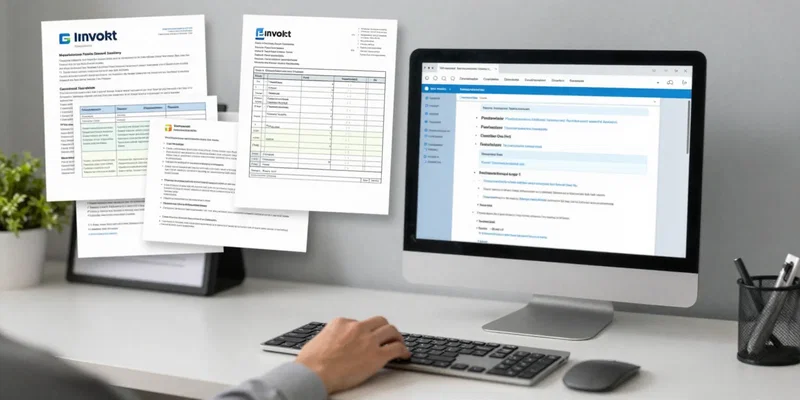
Here’s where Python gets genuinely useful for admin-heavy work: extracting information from documents nobody wants to read manually. Invoice numbers, due dates, vendor names, totals, reference IDs, shipping addresses, line items. If the data lives inside PDFs, spreadsheets, scanned forms, or plain text attachments, Python can often pull it out and place it into a clean table. Suddenly the job changes from copy-paste labor to spot-checking the output.
That shift matters. Manual entry is slow, yes, but the bigger problem is that it’s mentally expensive. It requires just enough attention to be annoying and just enough repetition to invite errors. With OCR tools and parsing libraries, Python can read semi-structured documents, match patterns, and export usable results to CSV or Excel. For finance teams, operations staff, or anyone dealing with repetitive admin work, this is one of the fastest ways to cut noise from the day. You spend less time retyping what already exists and more time dealing with the exceptions that actually need a brain.
Compare versions, find duplicates, and catch file mistakes before they spread
People are terrible at version control when there isn’t a proper system in place. A folder fills up with budget_v3.xlsx, budget_v3_new.xlsx, budget_v3_new_REAL.xlsx, and nobody is fully sure which one went to the client. Python can compare filenames, modification dates, file hashes, and even document contents to flag duplicates or likely conflicts. That means fewer accidental re-uploads, fewer stale attachments, and fewer moments where someone edits the wrong file for half an hour before noticing.
Actually, duplicate detection alone can clean up a surprising amount of digital clutter. Python can identify exact duplicates by checksum, near-duplicates by naming pattern, or changed versions by comparing rows, paragraphs, or pages. It can also create logs showing what moved, what changed, and what should be reviewed by a human. That’s the kind of quiet system improvement that doesn’t sound exciting until you realize how much office friction comes from avoidable file confusion. If your team shares folders by habit and hope, a few scripts can impose order without making everyone adopt a whole new platform.
Merge PDFs, split pages, and stamp documents in bulk like a sane person
PDF work is where good intentions go to die. Merge these five files. Split out signature pages. Add a watermark. Rotate the scans that came in sideways. Insert a cover sheet. Rename the final package and save it to the client folder. None of this is difficult, but doing it by hand over and over is a ridiculous use of skilled time. Python can automate office files like these with a few repeatable rules and save you from the worst kind of click-heavy drudgery.
One script can take a folder of source PDFs, sort them in the right order, combine them, remove blank pages, stamp them with a date or status label, and export a final packet ready to send. Or it can do the opposite and split a giant document into page ranges for different recipients. Legal teams, HR staff, recruiters, and operations people hit this kind of workload constantly. Once you automate it, you notice how much time you used to waste doing tiny document chores that required almost no judgment and still managed to interrupt everything else.
Watch folders, process attachments, and let Python handle the boring routine automatically
The biggest jump in python productivity happens when the script stops waiting for you. Instead of running a tool manually, you can have Python watch a folder, detect new files, and trigger the next step automatically. New email attachments land in a directory, and the script renames them, extracts key data, converts formats, archives the originals, and drops the cleaned output into the right team folder. No one has to remember the process. No one has to be the process.
But this only works well if you set sensible rules. Good automation is boring in the best way: predictable filenames, clear folder structure, simple logs, and a fallback path for weird files that don’t match the pattern. Start with the tasks you repeat every week and hate every time. Monthly report prep. Attachment sorting. Invoice intake. Contract archiving. Those are classic file task automation wins because the steps are consistent and the payoff is immediate. Once Python takes over that routine, the workday feels less clogged with digital housekeeping and a lot more focused on things that deserve human attention.